Summary: This article explains how businesses can choose a cost-effective Zebra Wax Thermal Transfer Ribbon by focusing on printer compatibility, label material, print volume, ribbon size, and long-term value. It also explains how proper settings, testing, and maintenance can reduce waste. Readers can contact Labels Xpress for practical guidance when selecting ribbons and thermal transfer labeling supplies.
Blurry text, weak barcodes, and wasted labels can turn a simple printing job into a daily headache. The right ribbon can prevent these problems and help your printer work smoothly. A smart choice should match your printer, label material, and printing needs. When the goal is clear printing with less waste, choosing the right Zebra Wax Thermal Transfer Ribbon can make everyday labeling much easier.
Begin With Your Actual Printing Needs
The best ribbon is not always the cheapest one. It is the one that works well with your printer and gives the results your business needs. Before buying a ribbon, think about what you print each day.
A small store may print product labels, while a warehouse may print shipping and inventory labels all day. Each job can have different needs.
Start by checking:
- Printer model and ribbon size
- Label material and surface
- Number of labels printed each day
- Type of information on each label
- Need for clear text or barcodes
This simple check can help prevent an unsuitable purchase. It also makes it easier to compare products based on real use instead of price alone.
Why Price Should Not Be Your Only Guide
A low-priced ribbon may seem like the obvious choice. However, a ribbon that produces poor prints can create extra work. Staff may need to reprint labels, replace rolls more often, or deal with barcode scanning problems. That means the real cost can become higher than expected.
A better way to compare ribbons is to look at overall value. Consider print quality, roll length, printer fit, and how often the ribbon needs to be replaced.
Check Printer Compatibility First
Printer compatibility is one of the most important things to check. A ribbon must fit the printer correctly to feed smoothly and transfer ink properly. Look at the printer model before ordering. Then check the ribbon width, length, core size, and winding direction.
These details may seem small, but they can affect the whole printing process. The wrong size may cause feeding issues, wrinkles, or uneven printing. It is also wise to check the printer’s recommended ribbon type. This can help you avoid trial and error.
Clear Printing Saves Time
A good label should be easy to read. Text should look sharp, and barcodes should have clean lines. This matters even more when labels are scanned during shipping, inventory checks, or sales.
Poor printing can slow down work. A scanner may fail to read a weak barcode. A worker may also struggle to read small or faded text. Clear printing helps avoid these problems.
Match the Ribbon With Your Label Material
Your label material can significantly affect the final print. Paper and synthetic materials have different surfaces, so the same ribbon may not perform equally well on every label.
Wax ribbons are commonly suited to paper-based labels and general indoor applications. However, the environment should always be considered before making a selection. Labels exposed to moisture, heat, chemicals, or frequent rubbing may require a different ribbon formulation.
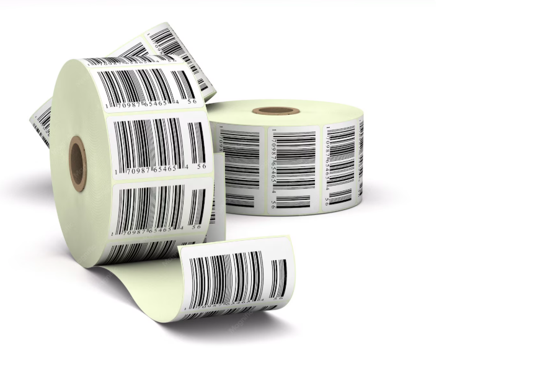
If your business uses Yellow Thermal Transfer Labels, check that the selected ribbon creates sufficient contrast for text and barcodes. The right ribbon-and-label combination can improve readability and help reduce wasted labels.
Choose the Right Ribbon Length
Ribbon length can affect how often staff need to stop printing to change the roll. A longer roll may be useful for a business with a high daily print volume. However, longer is not automatically better. The roll must still fit the printer and suit the printing setup.
Think about how many labels are printed during a normal day. This can help you choose a ribbon size that fits the workload. A good match can reduce unnecessary roll changes. It can also keep the printing process moving during busy periods.
Reduce Waste With Better Printer Settings
Even a good ribbon can produce poor results if the printer settings are not right. Print speed and darkness can affect how the ribbon transfers ink to the label. Start with the recommended settings for your printer and ribbon. Then make small changes if needed.
Keep the printhead clean, too. Dirt can cause light spots or uneven lines. Regular cleaning can help the printer produce more consistent labels. Proper storage also matters. Keep ribbons in a clean, dry place away from extreme heat and moisture. These small habits can help reduce waste and protect your printing supplies.
Test the Ribbon Before Buying in Bulk
A simple test can save time and frustration. If a sample is available, use it with the same printer and labels used for normal work.
Print several real examples. Do not test only one simple line of text. Try the types of labels your business actually needs.
Check for:
- Sharp text
- Clean barcode lines
- Even coverage
- Smooth ribbon feeding
- No unwanted smudging
- Consistent results
A short test can show whether the ribbon is a good match before a larger order is placed.
Compare Long-Term Value
When two ribbons look similar, compare how each one performs during regular use. A lower-priced roll may not be the better choice if it produces more waste or needs frequent replacement. Look at the complete picture. Think about the number of labels produced, print quality, roll size, and replacement time.
For a busy business, fewer interruptions can be valuable. Workers can spend more time on important tasks instead of stopping to fix printing problems. This is why cost-effective printing is about more than the purchase price.
Get Help When the Choice Feels Confusing
Choosing a thermal transfer ribbon can become confusing when printer specifications, label materials, ribbon sizes, and application requirements all need to match.
Labels Xpress can help businesses review these details before making a purchase. Providing your printer model, label type, approximate print volume, and application can make it easier to identify a suitable option.
Getting the right information before ordering can help prevent costly trial and error and support a more reliable labeling process.
Build a More Reliable Labeling Process
Good labeling does not have to be complicated. Start with the basics: match the ribbon to your printer, choose a suitable label material, check the roll size, and test print quality before ordering a large supply.
A properly matched Zebra Wax Thermal Transfer Ribbon can support clear text and reliable barcode printing for suitable everyday applications while helping reduce unnecessary reprints and waste.
If your current ribbon produces faded labels, frequent changes, or inconsistent barcode results, it may be time to review your setup. Labels Xpress can help you evaluate your printer and labeling requirements and identify a practical solution. Call 1-800-367-7336 or email sales@labelsxpress.com to discuss your needs.
Frequently Asked Questions
1. What is a thermal transfer ribbon?
A thermal transfer ribbon carries ink onto a label when heat from the printer transfers the ink to the label surface.
2. Can wax ribbons print barcodes?
Yes, wax ribbons can print clear barcodes when the ribbon, printer, and label material are properly matched.
3. How do I know which ribbon fits my printer?
Check the printer model, ribbon width, roll length, core size, and winding direction before ordering.
4. Why are my labels printing too lightly?
Light prints can result from incorrect settings, a dirty printhead, poor ribbon matching, or unsuitable label material.
5. How can I reduce thermal transfer printing waste?
Use the correct ribbon and label combination, maintain the printer, adjust settings carefully, and test new supplies before buying large quantities.