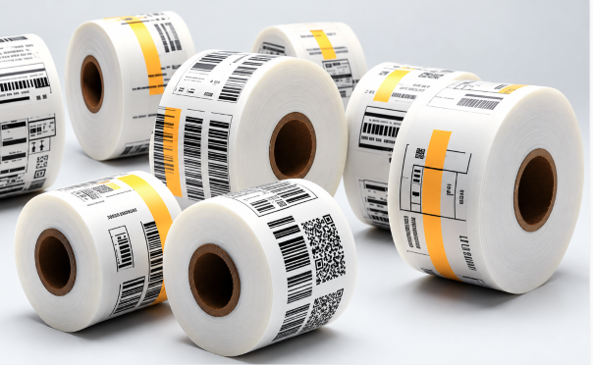
Summary: Industrial thermal transfer labels help factories improve product identification, barcode scanning, inventory control, and shipment tracking. Choosing the right label material, adhesive, ribbon, and printer settings can reduce printing issues and keep information readable during handling. Labels Xpress offers thermal transfer labels, ribbons, and custom options to support reliable labeling across production, storage, and shipping workflows.
A busy factory needs clear product details, accurate records, and a simple way to track items at every stage. When labels fade, peel off, or become hard to scan, even small errors can slow production. Industrial Thermal Transfer Labels can help improve tracking with clear printed details that support inventory checks, product identification, and shipping. The right label choice can make daily work easier.
Why Can Poor Labeling Slow Down Factory Work?
Factories handle raw materials, parts, finished goods, and shipments every day. Without clear labels, workers may struggle to identify products, check stock, or find the right item. A barcode that will not scan can create delays. A missing product code can also lead to mistakes during packing or storage.
These problems may seem small, but repeated errors can affect the whole workflow. Workers may need to check records by hand, print labels again, or search for missing items. This takes time that could be spent on more useful work.
How Does Thermal Transfer Printing Work?
Thermal transfer printing uses heat to move ink from a ribbon onto a label. A printer’s heated printhead applies the ink as the label and ribbon pass through the machine. The result is a printed image, barcode, or code that can remain readable during regular handling.
This method differs from direct thermal printing. Direct thermal labels use heat-sensitive material and do not require a ribbon. Thermal transfer printing uses a separate ribbon, which gives businesses more choices in label materials and print durability.
Where Do Factories Use Labels for Better Tracking?
Labels support several steps in manufacturing and warehouse work. A clear identification system helps staff follow products from the production line to storage and, later, to the customer.
Common uses include:
- Work-in-progress tracking: Identify parts and products while work continues.
- Inventory management: Mark stock with item numbers, barcodes, and location details.
- Product identification: Print model numbers, batch codes, or serial numbers.
- Shipping and receiving: Label cartons and packages for easier scanning and handling.
- Equipment tracking: Mark tools, machines, and other assets for recordkeeping.
Each use has different needs. A label on a product stored indoors may face less wear than a label on equipment handled throughout a shift. The application should guide the choice of material and adhesive.
Clear Printing Helps Reduce Everyday Errors
A barcode only helps when a scanner can read it. Smudged print, poor contrast, or damaged edges can make scanning harder. Clear text also helps workers confirm product details before moving an item to the next stage.
Good label design supports this goal. Use a suitable font size, leave enough room around barcodes, and avoid squeezing too much information into a small space. Keep essential details easy to find.
Label quality matters, too. A label should suit the surface and working conditions. For example, a rough carton and a smooth plastic container may need different adhesive choices. When the label fits the task, workers can spend less time fixing label problems.
Choose Materials That Match the Work Environment
The best label is not always the thickest or most expensive option. It is the one that fits the product, surface, and conditions. Paper labels may work well for many indoor uses, while synthetic materials such as polyester or polypropylene can suit applications that need added resistance.
Before choosing a label, consider these points:
- Surface type: Check whether the label will stick to cardboard, metal, plastic, or another material.
- Handling needs: Consider rubbing, movement, and frequent contact.
- Exposure: Review possible contact with moisture, chemicals, heat, or sunlight.
- Print needs: Make sure text, barcodes, and codes fit the label size.
- Label life: Decide how long the information must remain readable.
No single material works best in every setting. A supplier can help narrow down the options based on the conditions at your facility.
The Ribbon and Label Must Work Together
Even a good label can produce poor results when the ribbon does not match the material. Thermal transfer ribbons come in different types, and each works best with certain label stocks and printing needs.
Wax ribbons often suit paper labels used for everyday indoor tasks. Wax-resin ribbons can offer greater resistance to rubbing, while resin ribbons often suit synthetic labels that need stronger resistance to chemicals or harsh conditions. The right choice depends on the specific application.
Businesses comparing Thermal Transfer Ribbons Buffalo NY suppliers should also check printer compatibility and the level of print resistance required. A suitable match can help create readable barcodes and reduce print issues. Testing the label and ribbon together before a large production run is a sensible step.
Build a Reliable Labeling Process Across the Factory
A consistent process helps every team use labels in the same way. Start by setting clear rules for product codes, barcode formats, and label placement. When workers follow the same approach, items are easier to identify across production, storage, and shipping.
Next, check printer settings and keep equipment in good working order. Dust, a worn printhead, or incorrect settings can affect print quality. Regular checks help staff spot these issues before a full batch of labels is affected.
It is also useful to review label performance over time. If labels keep lifting from a surface or barcodes become difficult to scan, examine the material, adhesive, ribbon, and handling conditions. Fixing the cause is more helpful than repeatedly replacing failed labels.
What Should You Check Before Ordering Labels?
Choosing labels is easier when you know the key requirements before placing an order. Start with the printer model, label size, core size, roll format, and material. These details help confirm that the labels will fit the equipment and the job.
Think about order volume as well. A factory printing labels throughout the day may need a different roll capacity from a small operation that prints labels only when needed. The right format can help reduce interruptions for roll changes.
Also, check whether standard stock meets the need or a custom label would work better. Custom options can support special sizes, colors, layouts, or product details. Before ordering in bulk, test a sample on the actual product and confirm that the barcode scans correctly.
Reliable Label Supply Supports Better Factory Tracking
A consistent supply of suitable labels helps production teams keep work moving. It also makes it easier to maintain a standard format across products and departments.
Labels Xpress supplies thermal transfer labels for desktop and industrial printers, along with ribbon products and custom label options. Its thermal transfer range includes paper and synthetic choices, with different sizes and formats for varying needs.
Conclusion: Make Every Label Count
Tracking problems can begin with something as small as a faded barcode or a label that will not stay in place. Over time, these issues can slow work, create confusion, and add extra tasks for staff. A well-planned labeling system helps teams identify products, manage stock, and move goods through the factory with greater confidence.
The right Industrial Thermal Transfer Labels can support this process when the label material, ribbon, adhesive, and printer are properly matched to your needs. Review your current setup, identify recurring problems, and test suitable options before placing a large order.
Contact Labels Xpress at 1-800-367-7336 or emailsales@labelsxpress.com to discuss your printer requirements, label materials, and custom labeling needs. Find a labeling solution that supports clear product information and more reliable tracking across your factory.
Frequently Asked Questions
1. What are industrial thermal transfer labels used for?
They are used for product identification, barcode printing, inventory tracking, and labeling parts or packages.
2. Do thermal transfer labels require a ribbon?
Yes, thermal transfer printers use a ribbon to transfer ink onto the label.
3. Are thermal transfer labels suitable for harsh environments?
Some paper and synthetic options suit demanding conditions, but the right choice depends on heat, moisture, chemicals, and wear.
4. How do I choose the right thermal transfer ribbon?
Match the ribbon to the label material, printer, and level of resistance needed for the application.
5. Can thermal transfer labels be customized?
Yes, custom options may include different sizes, materials, colors, and layouts to suit a specific use.